

Last Updated: June 16, 2026
Home Office Setup Gadgets – Home offices might seem pretty straightforward at first glance. After all, all you need is a laptop, a chair, and a corner to work in. But in reality, great home office setups are composed of a string of small decisions-decisions that influence how you feel, where you focus and how much energy you have throughout the day. Some smart devices can help to alleviate discomfort, organize clutter, increase call quality, and encourage more productivity-all while helping you to prevent burnout.
A smart home office setup is not about surrounding yourself with a cluster of pricey, high-tech devices. Instead it should be practical devices that address common issues faced by remote workers-monitor arms that can ease your neck strain, a wireless keyboard to give you more freedom and a task light to save your eyes. Even a well-designed webcam can help to foster professionalism during online calls.
Below is a comprehensive round-up of the most practical home office setup devices; this is for remote workers, freelancers, founders and anyone else looking to build a better desk space at home.
Table of Contents
Why The Right Gadgets Matter
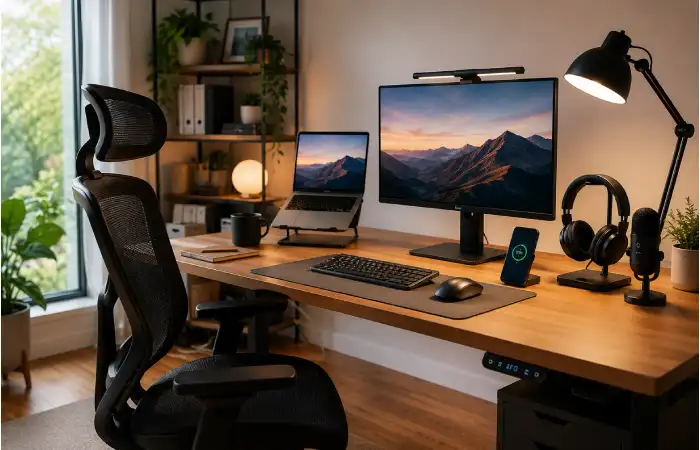
A home office is more than just somewhere to sit at a computer. Your meeting room, your think-tank, your design-studio, your entire work-life. If your office setup is weak you’ll notice it within minutes-the back ache, the tangled wires, the slumping posture, the dreadful lighting, the maddening distractions. When it’s strong, working is easier and less draining.
The best gadgets are good in three distinct ways:
It enhances comfort so you don’t strain and have to work for as long.
They enhance efficiency so that minor irritations don’t slow you down for very long.
They enhance professionalism so your work space looks and feels more serious.
This is the reason why buying the best gadget you can affords so much more in return. Even just three or four simple upgrades to your office set up can transform the feel of your entire working day.
Comparison table: useful home office gadgets at a glance
| Gadget | Main Purpose | Best For | Why It Helps | Priority |
| Ergonomic chair | Posture support | Long work hours | Reduces back and shoulder strain | High |
| Standing desk or desk riser | Movement and flexibility | People who sit all day | Helps reduce fatigue and stiffness | High |
| External monitor | Better screen space | Multitasking and design work | Makes work faster and less cramped | High |
| Monitor arm | Screen positioning | Compact desks | Frees desk space and improves posture | Medium |
| Mechanical or ergonomic keyboard | Easier typing | Writers and office workers | Feels better and reduces wrist stress | Medium |
| Wireless mouse | Better navigation | General productivity | Less cable clutter, more flexibility | Medium |
| Desk lamp with eye-friendly light | Better visibility | Night workers | Reduces eye strain and improves focus | Medium |
| Webcam and microphone | Clear communication | Remote meetings | Improves video and audio quality | High |
| Cable management kit | Organization | Any desk setup | Keeps the workspace clean and tidy | Medium |
| Power strip with surge protection | Safe power control | Tech-heavy desks | Protects devices and reduces mess | High |
Work from home gadgets
Most people think of high-tech gadgets when they think of work-from-home accessories, but it’s possible to increase your comfort with these simpler, everyday tools for a smoother work day.
1. An ergonomic chair
We often fail to think about this in a home office setup but the comfort of your chair cannot be over-emphasised. Hours spent hunched over a chair that isn’t suited to your body type can lead to back ache, stiff joints and fatigue. An ergonomic chair supports the curve of your lower back and has a height adjustable option that can line your body up properly.
2. A standing desk or desk riser
Whether you invest in a standing desk itself or simply use a desk riser, the benefits of swapping between sitting and standing are often more extensive than anticipated. Even briefly changing your position will keep you awake and stop your body feeling tired.
3. An external monitor
While your laptop’s screen might be sufficient for a short burst of work, long periods of usage make it hard and tiring to constantly be looking at one tiny screen. A large external monitor where you can spread out spreadsheets, graphic design work, documents and various windows, makes for a far better work experience.
4. A separate keyboard and mouse
Although they seem fundamental these two have a large effect on desktop usability vs a laptop and separate keyboard would provide much more comfort with your typing position and mobility. An ergonomic keyboard may also reduce wrist strain if you type heavily.
5. A set of noise-canceling headphones or ear buds
Home offices can often be not conducive for focus. Having headphones can create a personal work space whether you are attending a teleconference, performing deep work or simply trying to drown out household activity.
Remote work technology
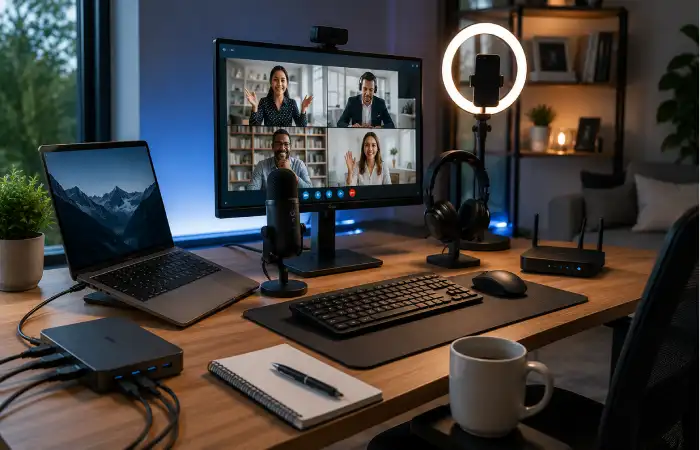
Communication is key to remote working. You could have the most ergonomically perfect workstation set up, but if your technology can’t keep up, then communication is compromised. It’s hard to effectively meet, present, or collaborate with team mates if your audio is poor, internet is unstable or your video feed is laggy or pixellated.
Webcam:
Many laptop webcams are of acceptable quality, but generally offer somewhat muted or grainy video. A good quality external webcam can vastly increase your professionalism, giving a sharper and clearer image, particularly for interviews, client calls or team meetings, and this aspect is valued more than one would initially think.
Microphone:
If anything, the quality of the audio in an office setting is more important than the quality of the video; a blurry image is one thing but poor quality audio will rapidly tire people out. A quality external microphone can instantly upgrade the audio input on any meeting or recorded call.
Docking station or USB hub:
For those users that require multiple connections at any given time; such as monitor, keyboard, mouse, charging unit and various storage devices, the ability to connect it all seamlessly can only be done through one cable with the use of a docking station. It can create more of a stationary setup in the house, particularly if the user works from a laptop.
Reliable Wi-Fi equipment:
If the Wi-Fi signal is not strong and reliable enough within the workspace then the work itself cannot be done efficiently, a good router, mesh system or Wi-Fi extender could be of great help. Stable Wi-Fi connection is probably one of the most undervalued piece of remote technology.
Blue light and eye-care equipment:
Many can experience eye-strain from looking at screens for too long, a desk lamp to create a softer light, a screen filter or display settings adjusted can all assist in relieving the strain.
Home office accessories
The final elements added are accessories that provide personalization and define your workspace. Though some may argue it’s an “extra,” accessories actually enhance comfort and functionality.
Desk lamp
Lighting can alter everything. The right desk lamp will reduce shadows, aid your eyes, and offer a cleaner workspace. Warm, dimmable lighting is ideal for extended work periods as it can also be gentler on your eyes.
Laptop stand
A laptop stand will lift the screen to a more comfortable height and support better posture. This is even better when used with a separate keyboard and mouse. Such a modification adds a certain professional air, making the workspace feel less cramped.
Cable organizers
A cluttered bunch of cables will turn even the most aesthetically pleasing desk into a mess. Cable clips, sleeves and under desk trays will help manage cables. A tidier desk will reduce visual fatigue and help calm the workspace.
Notebook and desk organizer
Not all productivity needs a screen. Having a notebook can be useful when you want to brainstorm, take notes or quickly sketch. A desk organizer is perfect to keep your pens, notes, chargers and tiny paraphernalia all in one place.
Phone stand or charging dock
A phone stand is useful when having a video call, doing research or during charging breaks, keeping your phone visible without taking too much desk space. This is an inexpensive item but offers great convenience day after day.
Startup desk setup
The average startup desk setup needs to be highly resourceful. It needs to be compact, functional and affordable, whilst still looking good enough for video calls and hours at the keyboard. Founders tend to be agile, and thus a workspace needs to provide focus, and not look too composed.
A good startup desk setup should include:
- A comfortable chair
- A laptop or monitor setup that supports long sessions
- A clean cable system
- A microphone or headset for meetings
- Fast internet access
- A small set of useful desk accessories
The goal is not luxury. The goal is momentum. A startup desk should help you move from idea to execution without unnecessary friction.
Table: startup desk setup by budget
| Budget Level | Recommended Items | What It Achieves |
| Basic | Lap stand, wireless mouse, desk lamp, cable clips. | Clean and working starter setup |
| Mid-range | External monitor; ergonomic chair; keyboard; headset | Improved comfort and efficiency |
| Advanced | Dual Monitors, Docking Station, Standing Desk, Microphone | Productivity oriented office |
For early-stage entrepreneurs, the optimal setup is whatever takes away the excuse. When the desk is comfortable to sit at, you are more likely to make the time.
Entrepreneur workspace gadgets
Entrepreneurs often work across multiple roles in one day. One hour may involve client calls, the next may require content writing, financial planning, or product decisions. Because of that, the workspace must be flexible and efficient.
Multi-device charging station
Notebooks, phones, headphones, tablets, chargers it’s just the daily juggle of devices that entrepreneurs need to contend with! A charging station allows all your gadgets to remain charged.
Portable Second Screen
A portable monitor is a great asset for those working in varied settings. It provides additional screen real estate without being anchored to a desk.
Smart Speaker or Voice Assistant
A smart speaker is useful for reminders, timers, music and basic scheduling assistance. A quick voice command saves valuable time to those of us wearing both entrepreneur and worker hats.
Whiteboard or Idea Board
Not every task should be logged in an app. A whiteboard is ideal for brainstorming and planning and allows for an additional plane to visualize and organize information. The tool is particularly useful when the goal is to take a step back and organize in a macro sense.
Printer and Scanner Combo
An on-line business may need to print off, scan or even sign documents occasionally, and a printer scanner will facilitate these jobs allowing the documents to be processed.
Table: gadgets that help entrepreneurs most
| Gadget | Best Use | Why Entrepreneurs Like It |
| Portable monitor | Working from anywhere | Adds screen space on the move |
| Docking station | Multi-device workflow | Simplifies setup in seconds |
| Noise – canceling headset | Calls and focus | Helps manage busy environments |
| Whiteboard | Planning and brainstorming | Makes ideas visible and actionable |
| Charging station | Power management | Reduces clutter and stress |
How to choose the right gadgets for your space
You don’t need the latest, priciest piece of technology to improve your home office. The best setup depends on how you work, how much space you have and which aspects bother you the most.
If pain and discomfort are what bug you, the solution could be in your chair height, your desk and the position of your monitor.
If your main concern is the clutter, look for cable solutions, storage, and compact accessories.
Communication is the most annoying thing during the day, invest in your webcam, microphone and lighting.
You need to be more productive, you need to create an office that feels easy and hard to ignore.
Fix the biggest problem you have first, since one improvement will give you the best results.
A practical home office setup formula
Here is a simple way to make an ergonomic workstation.
Comfortable: chair, desk, and monitor height.
Productive: headphones, lamp, and cable management.
Visible: webcam, microphone, and internet speed.
Get yourself ready: charging station, organizer, notebook, and phone stand.
The order here makes sense because it reflects the order you spend your day. Firstly, you need to be comfortable. Then you need to do your work. Finally, you can tidy it up to look good.
Final thoughts
A well thought-out home office isn’t about having a showroom desk, it’s about being able to work efficiently, peacefully and effectively. The tools used can help with ergonomics, concentration, and communication and really turn a part of your home into a workplace.
Regardless of whether you are constructing a remote work setup, an improved startup desk, or an upgrade to an entrepreneur’s office corner, take the steady, measured path. Start with what’s necessary and add peripherals to streamline your tasks throughout the day. Each little upgrade accumulates until your workstation finally feels like home.